The online education space is growing like crazy. Everyone is trying to grab attention, from individual instructors to full-scale platforms. Unless your course title or description is compelling enough, there’s a lot more standing out in this crowded marketplace. What you need is high-impact promotional content that builds trust and generates enrollment. Now more than ever, video marketing has become an essential strategy for educators, and tools like CapCut Web provide a free and powerful way to get started without any studio or expensive equipment.
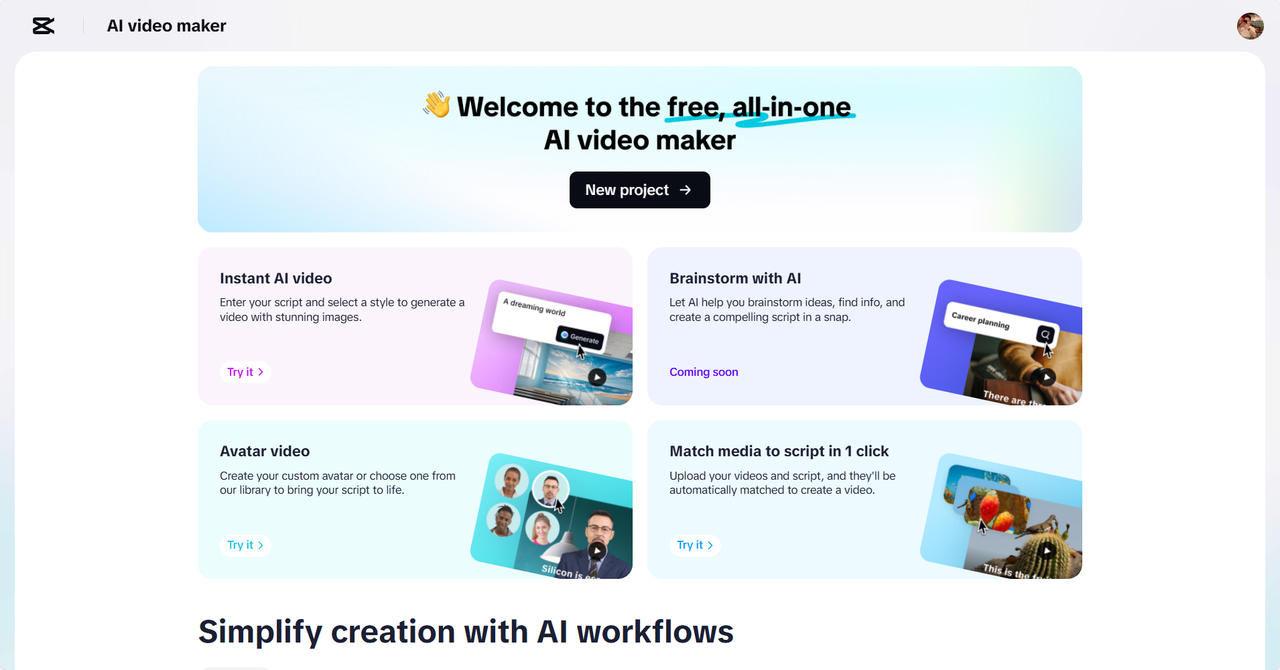
The CapCut Web is an AI-powered video creation tool that allows educators to create pretty promo videos in just a few minutes. From a humble beginning to the launch of your first course to scaling your digital academy, this AI video maker gives you the creative edge to create your content in a visual and powerful way.
Why Video Is a Powerful Tool for Course Promotion
Video helps build credibility. The instructor makes a connection with potential students when they see and hear him. There are also increased conversion rates with visual content. Studies have shown that landing pages with videos can lead to much greater signup rates than pages featuring static content.
Through the video, you can show your teaching style, show course content and highlight what makes your class unique. It also previews what learners can expect in value. Video is different than plain text or images — it uses more senses and, therefore, is more memorable and persuasive.
Types of Promotional Videos You Can Create
With CapCut Web, you can create several types of videos for your marketing purposes. Your first video will be a course introduction video where you introduce your students to what they will learn. Play instructor spotlight videos to establish yourself as an authority and build trust.
With engaging motion graphics, you can break down your syllabus visually to help break down course structure and expectations. Include testimonials of actual success stories by learners with social proof. In addition, you can also make teaser trailers to hype up before a new module is released.
Using AI to Build Promotional Teasers Without a Studio
Not every educator has access to lighting equipment, green screens, or professional microphones. This is where CapCut Web becomes a game-changer. With AI-assisted features, you can script, narrate, and animate your videos—all online.
The platform simplifies the creative process by offering AI scriptwriting. Input your course topic and key highlights, and the tool generates an editable video script. You can then use built-in AI voiceovers that suit different tones and moods. It’s ideal for creating polished promotional content remotely.
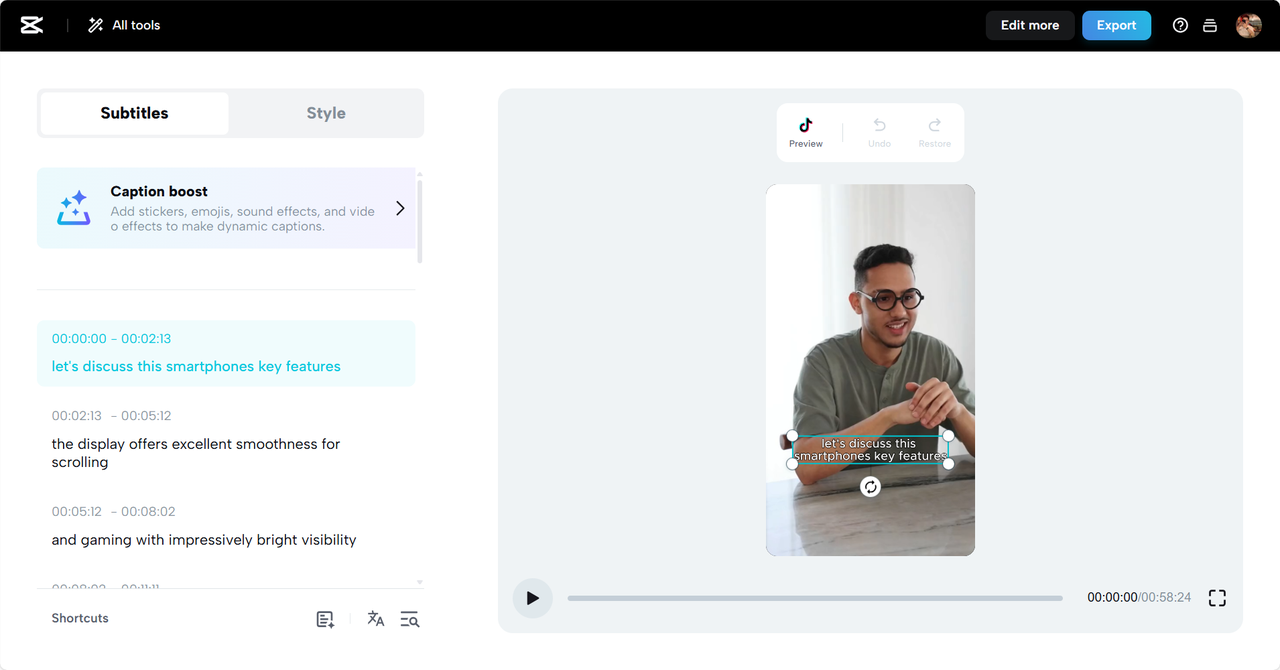
CapCut Web also enables smooth animations, transitions, and graphics. Without needing video editing experience, you can add dynamic visuals and captions to elevate your message. Thanks to tools like the AI caption generator, your videos are also more accessible and engaging for a broader audience.
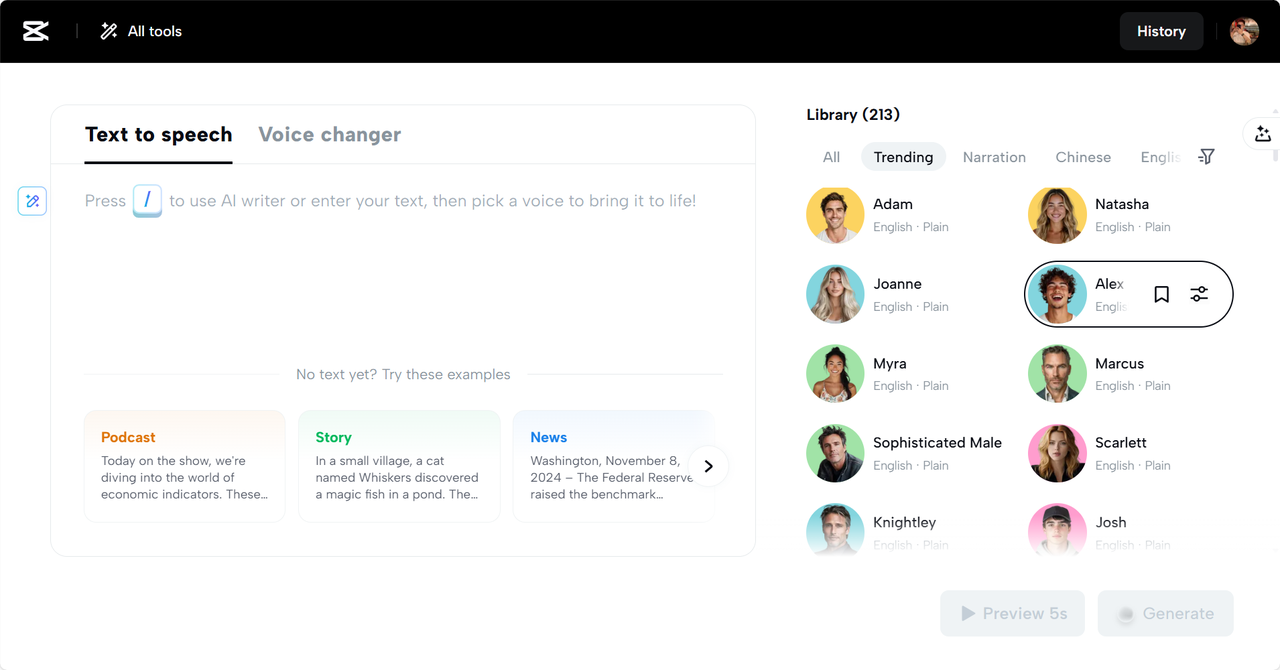
Another useful feature is the text to speech free voiceover system. Choose a voice style that aligns with your teaching personality and apply it to all scenes. This maintains a consistent tone across your video while saving time on manual narration.
Steps to Make Course Promo Videos Using CapCut Web
Step 1: Write Your Script
To promote your online courses, start by using the “Script” feature in CapCut Web. Enter the “Topic” and “Key points” that explain your course’s unique features. Once you’ve input all the necessary details, click “Create” to generate the video script using AI.
Step 2: Customize Your Video
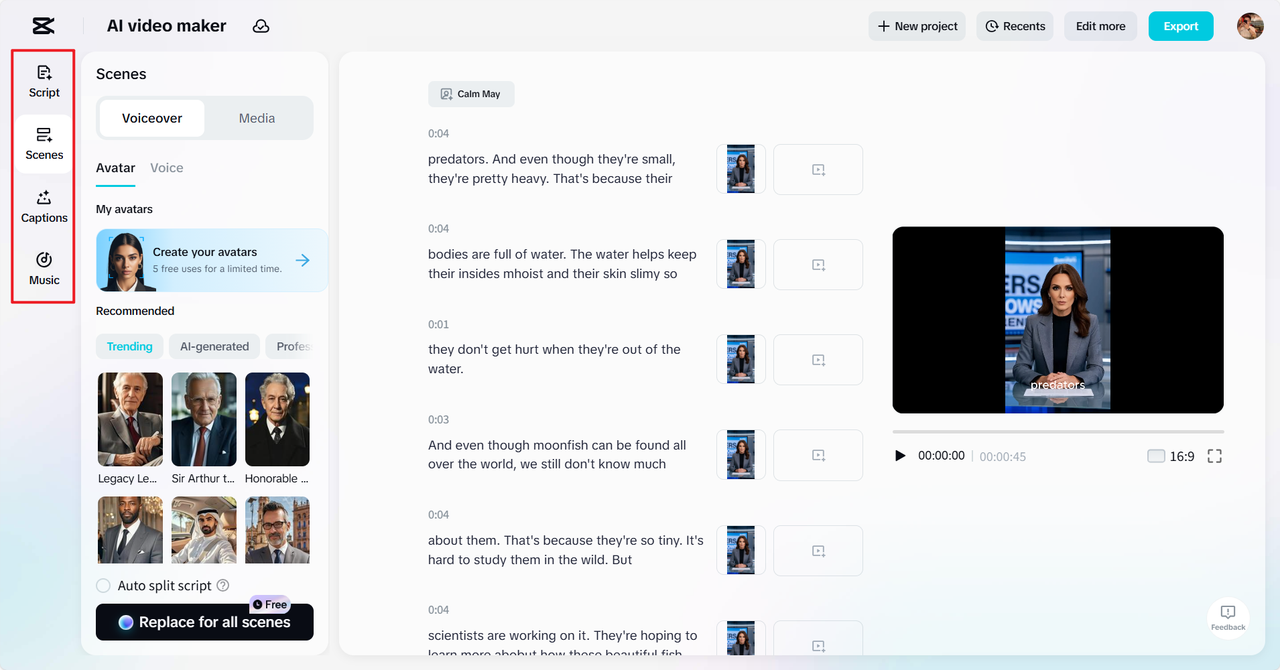
Click on the “Scenes” button to add a voiceover to your script, or if you just want voice, visit the “Voice” page and select your preferred voice style. Hit the “Apply for all scenes” button to ensure consistency. To further enhance your video, you can add captions by clicking on the “Captions” button. The “Music” library offers a vast selection of tracks to complement the mood of your course video.
Step 3: Final Export or Further Refinement
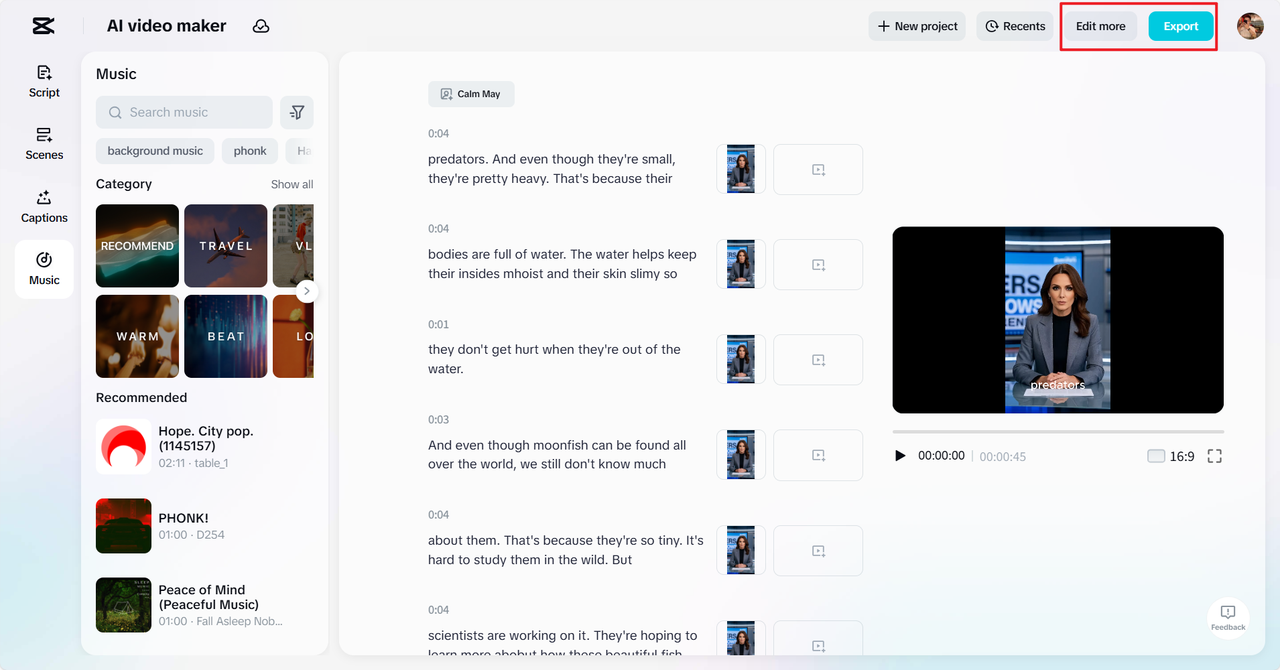
Once satisfied with the preview, click on the “Export” button to save your video and adjust the export settings as needed. If you wish to make more adjustments, hit “Edit more” to access CapCut Web’s main video editing interface, where you can apply graphic designs, special effects, filters, animations, and other elements to polish your course promo video.
Tips to Make Course Videos Stand Out With CapCut Web
To make your course promos visually appealing, use consistent themes. Choose a color scheme and stick to matching fonts, transitions, and background styles. Incorporate stock visuals that reflect your course content, whether it’s tech, business, or design.
Always highlight the value proposition—what makes your course different? Whether it’s a unique teaching style, practical application, or real-world case studies, ensure the viewer understands the benefit within the first few seconds. Keep the tone conversational and authentic to mirror your teaching style.
Where and How to Distribute Your Promo Videos for Maximum Reach
Once your video is ready, embed it on your course landing page. Videos help reduce bounce rates and increase course sign-ups. Share the promo on LinkedIn, especially if your course targets professionals or B2B learners. Join relevant groups and communities to amplify reach.
Use YouTube and Facebook ads to retarget website visitors. Uploading videos to platforms like Instagram Reels or TikTok with short, engaging clips can also expand your visibility. Consider including your promo in email campaigns and newsletters for better click-through rates.
Conclusion
In a competitive learning marketplace, educators must think creatively and act smartly. Tools like CapCut Web offer free, AI-powered solutions to make professional course videos quickly and efficiently. By using these features strategically, you can build trust, increase conversions, and grow your student base.
Experiment with different video types, stay consistent with your branding, and let your content do the talking. The right video strategy, paired with an intuitive tool like CapCut Web, can elevate your course promotion game instantly.