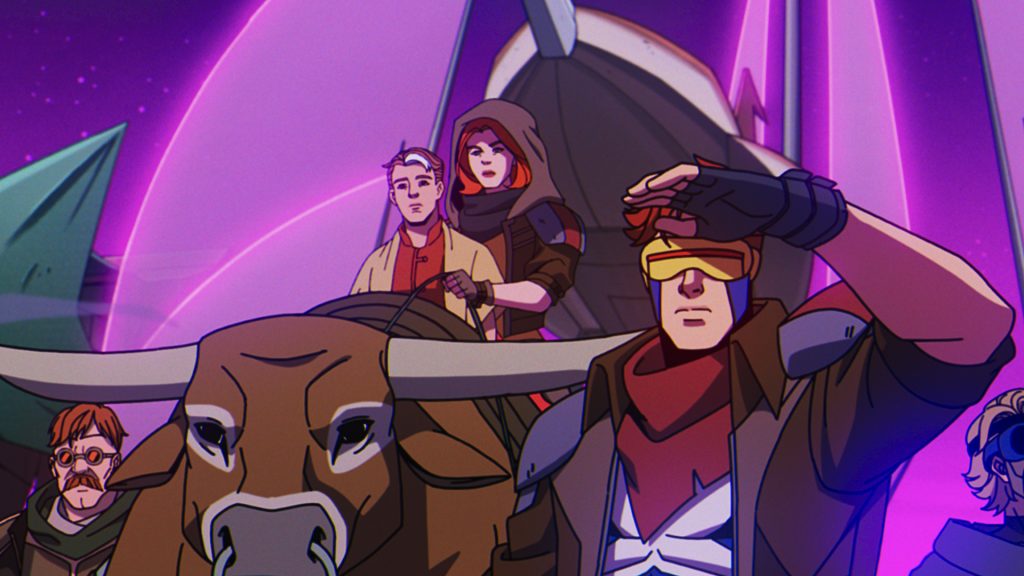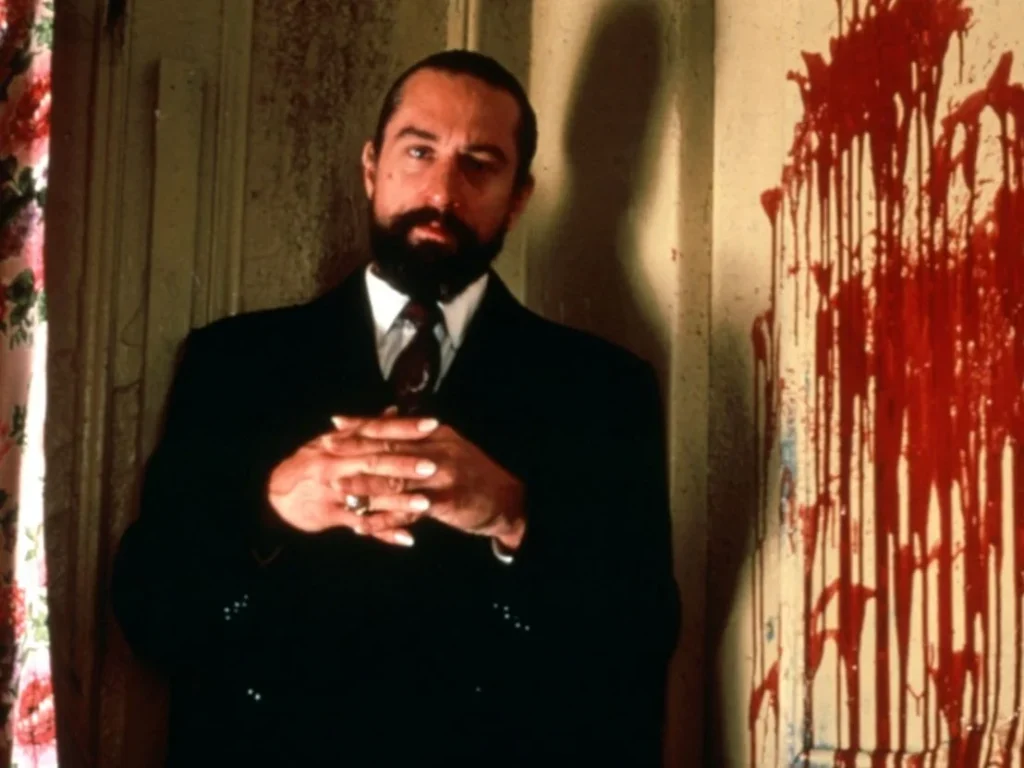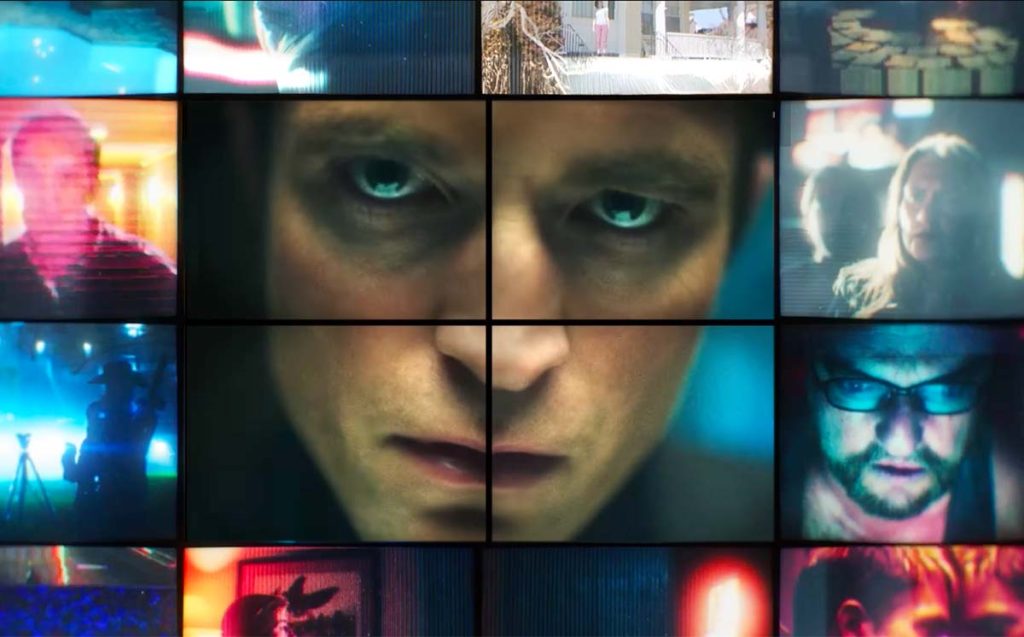

The CapCut App AI Lab Style Picker allows you to transform your plain scripts into engaging visual narratives. You can make a fun video with a single tap, regardless of whether you are inclined to a 3D style, anime-style, or a realistic style. The tool’s intelligent algorithms generate cinematic output, allowing you to focus on storytelling. AI-powered images enable users to create simple and visually diverse videos, empowering them to bring their ideas to life using the CapCut App.
Video Genre Styles
Nowadays, humans want more than information. They are hungry to see stylized material that can capture attention immediately. Visual genres have become a significant determinant in the performance of videos on social media. For example, anime-style videos can appeal to younger audiences who are interested in expressive narratives. The realistic content is suitable for those who want to understand and delve deeper. In the meantime, 3D graphics make action stories exciting. Under the CapCut App, you fulfill these expectations by selecting a style that suits the mood and the audience.
Engagement is directly influenced by visual style. When the tone and the look match, you tell better stories. The AI lab of the CapCut app is aware of this relationship. It provides videos that correspond to the emotion, pace, and message of your script. Using genre-specific styling, you make your video more watchable and relatable.
The Advanced Style Picker in CapCut explained.
The Style Picker is located in the AI Story Generator section of the CapCut App AI Lab. This capability will take what you enter and create an entire video depending on the tone and type of story. AI reads your script, recognizes themes, and implements the visual styles based on them. You don’t have to guess which look would suit you best. Instead, you witness styles in real-time and pick the most suitable one, and then confirm your choice.
Other forms of content can be fine-tuned to this intelligent matchmaking. In one instance, a motivational script may be more effectively previewed in an anime style. The realistic filter could be matched with a historical overview. You experiment with various mixes to identify a suitable balance between style and story. The preview tool enables you to see how the AI is interpreting your script, allowing you to control the outcome of your end product.
3D, Anime, and Realistic Modes Deep Dive
Every visual mode in the Style Picker of the Cap Cut App provides a different vibe. The 3D mode gives an impression of depth and dynamics of the movement. It is best suited to action scripts or fantasy scenes.
Look forward to striking lighting effects, intricate shading, and fluid movement between scenes, which emulates the real world.
Anime style, however, is all emotional and narrative. It can be applied to romantic stories, life lessons, or twists. The CapCut App involves the application of color expression and moving characters to depict narratives. It is immersive and emotional.
Realistic mode is more suited for clean images and natural scenes. The style is suitable for explainers, product demonstrations, and monologues that convey a personal touch. It is clear, well-lit, and easy to read. The visual presentation resembles actual real-life narrations, and as such, it is appropriate for learning video presentations.
Combining Creativity Styles: Hybrid Creativity
The CapCut App does not restrict your genre. Effects of other styles can be combined to create a special look—for example, overlay anime expressions over a 3D layer motion. Or mix realism with fantasy overlays to make magical realism.
With this freedom, you can develop a visual language in line with your brand. Videos that are a hybrid tend to be more prominent on sites like TikTok or YouTube. You produce something old but new. When the mixing brings out a stronger emotion or plot, the effect is fresh and strong.
With the help of tools like the AI caption generator, you can make your hybrid content even richer. The captions align with your visual tone, making the message more understandable and attractive.
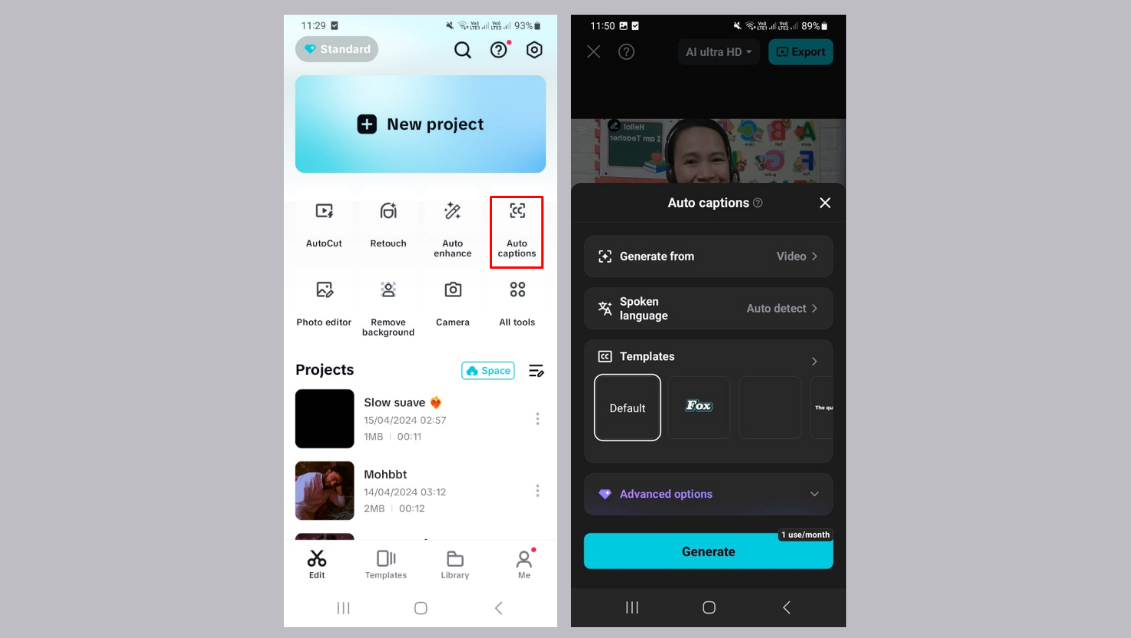
Create 3D, Anime, or Realistic Styles
Step 1: Access and Start Creating
Open the CapCut app and go straight to the “AI Lab” tab from the menu below. Here, you’ll see editing options like “AI story maker”, “AutoCut”, and advanced “AI tools”. Tap “AI story maker”, then click the “Try now” button to get started.
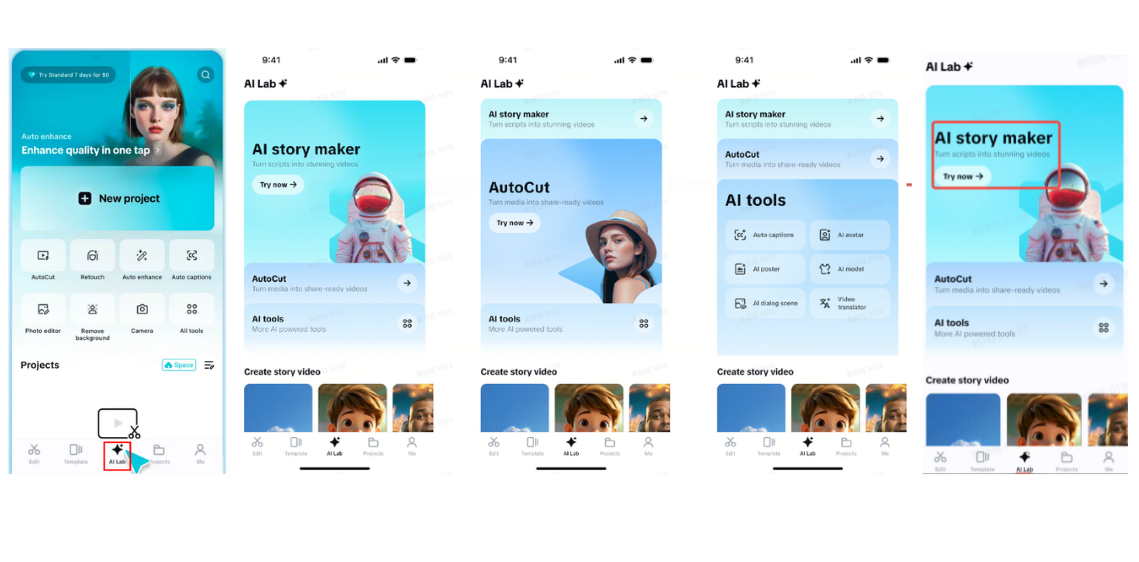
Step 2: Build Story and Select Style
Paste or type in your script using the “Create AI story video now” input area. Choose your preferred visual style from Realistic Film, Cartoon 3D, or Anime. Activate the “Voiceover” and change the “Video ratio” to your liking. Once everything’s set, click “Generate” to create the video.
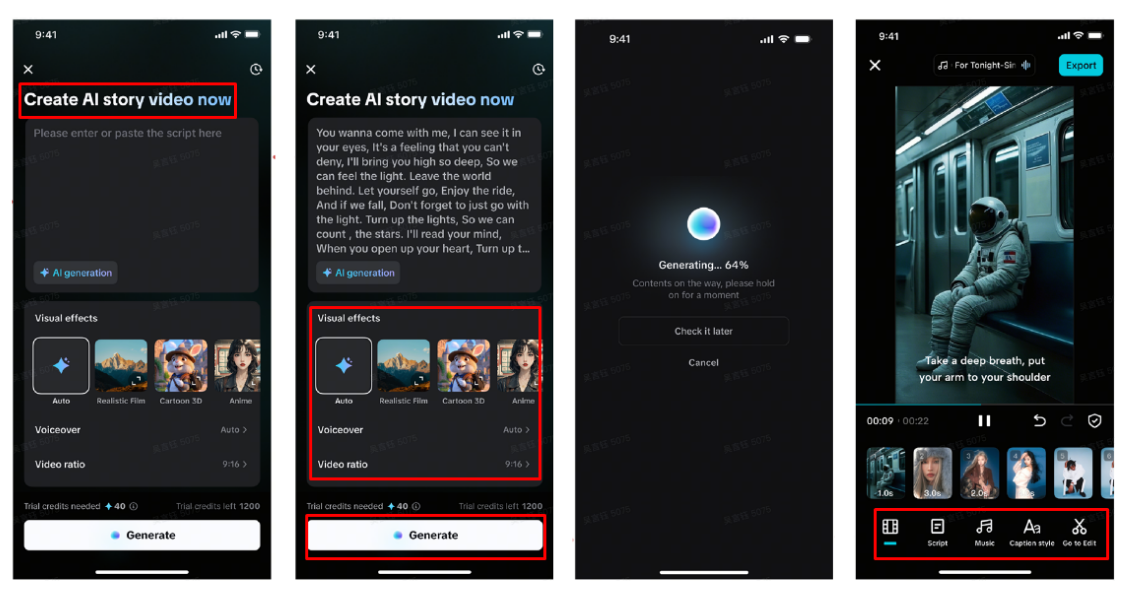
Your story video will be ready in moments. Use the “Music” tab to add a soundtrack, and enhance your captions under the “Caption style” section with animations, effects, and fonts. Need more advanced edits? Hit “Go to Edit” to unlock the full CapCut suite for filters, stickers, and transitions.
Step 3: Export and Share Anywhere
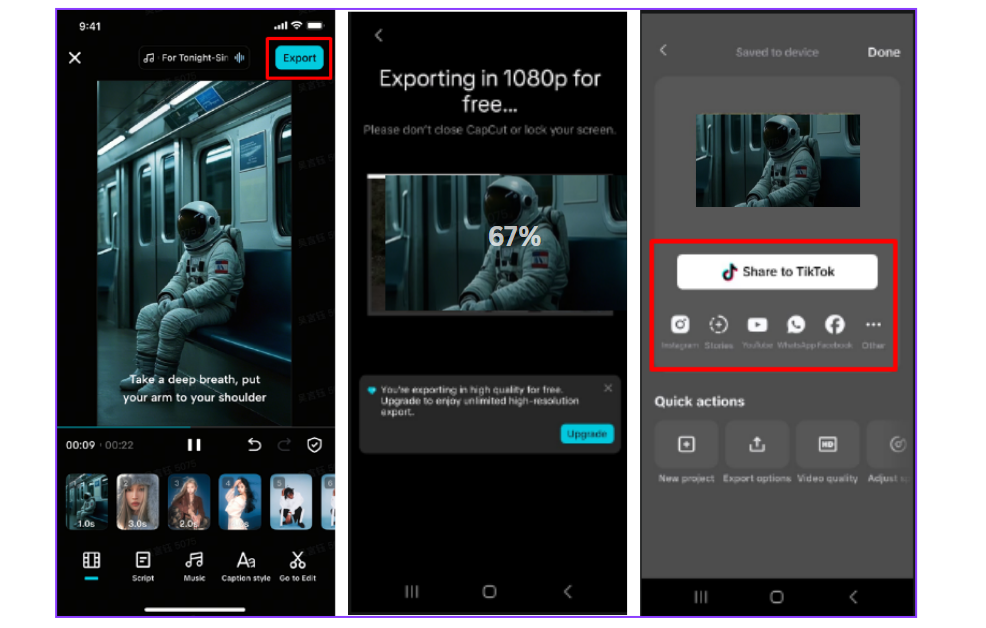
After reviewing, tap “Export” from the top-right corner. The video saves to your device and is ready to be posted on TikTok, YouTube, Instagram, Facebook, or any other social platform.
Style Picker for Different Content Goals
The Style Picker in the CapCut App adapts to all kinds of content needs. Anime mode appeals to youth and is perfect for emotional storytelling or viral themes. It captures the attention of those who love expressive, character-driven stories.
Realistic visuals work best for content meant to inform, teach, or touch hearts. Use this mode for educational topics or personal messages. The delivery feels more sincere and grounded.
3D style is great for high-energy, fantasy, or visually rich concepts. It boosts excitement and keeps viewers engaged. This option pairs well with adventure, sci-fi, or product reveal videos.
With the AI video maker built into the CapCut App, transforming ideas into these visual formats becomes seamless. Just input your idea and get a finished, genre-matched video in seconds.
Conclusion
The Style Picker in the CapCut App’s AI Lab helps you tell stories through immersive 3D, anime, or realistic visuals. Whether you’re a beginner or an experienced creator, this tool unlocks endless creative options. From cinematic scenes to heartfelt messages, everything becomes possible with one tap.